Jolla: Update number 5 (Paarlampi) is out, Brings MMS and more

Another month and another update! Jolla is rocking hard! Though no surprises there for us because each month is supposed to bring us an update but the cool thing is that Jolla never fails to do that!
*Jolla have yet again excelled themselves by getting one of the biggest updates to date ready in quick speed time, less than a month after the last big update.
The update is provisionally available to all “I am the first” Jolla owners OTA and will be rolling out to all Jolla owners after that.
This update seems to be bringing quite a lot to the table and having already downloaded the update, we can confirm that all appears to be working AOK – just have a read through the details below taken from https://together.jolla.com/question/38508/release-notes-software-version-10516-paarlampi/:
What’s new?
Well before the changelog you need to bear some stuff in mind such as disabling the openrepos client and repositories on your Jolla:
USERS RUNNING SOFTWARE VERSION < 1.0.4.20
If your device is running software version lower than 1.0.4.20 and have WareHouse app installed (i.e you are using OpenRepos), disable all openrepo repositories before attempting to upgrade your device. Else, you risk breaking the device. Read important-steps-to-do-before-updating and how-to-disable-openrepos-repositories posts for more information.
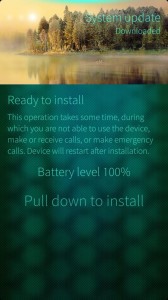
Changelog begins
- Two-way sync of Exchange contacts
- Over-the-air (OTA) provisioning: Receive mobile data and MMS access point settings from your operator over-the-air
- Share and receive pictures and contacts via MMS (experimental 1)
- EXIF data is now stored in photos taken with camera.
- Save GPS coordinates in captured photos [Settings->Apps->Camera]
- Set default account to be used for sending emails [Settings->Apps->Email]
- Swipe to close gesture available as a setting and disabled by default for new users [Settings->System->Shortcuts]
- Visual interaction hints in events view, browser, camera, email, phone and messages apps
- Keyboard sounds [Settings->System->Sounds and feedback->Touch screen tones]
1 Tested on Finnish operator networks only. Let us know if you have issues on your operator network. View more info on MMS settings at ZenDesk.
Highlights of other improvements
Security
- Fixed OpenSSL “heartbleed” bug (CVE-2014-0160)
Settings
- Provides Exchange account setting for two-way contact synchronization
- Option to clear learned words from text prediction database [Settings->System->Text input]
- Disabled accounts now appear dimmed and non-selectable in the presence selection view
- Allows enabling GPS in flight mode
Connectivity
- Connection indicator in home screen now supports dual connection of WLAN and mobile data (one connection online, another ready-to-use)
- Fixes issue where disabling mobile data connection mid-way through a data sync (e.g.: scheduled sync of emails, social media etc) re-activated mobile data at the next scheduled automatic sync interval specified by the user, or when a user manually triggered a new sync.
Android runtime
- Visual indication in the launcher on android apps when Android runtime is being upgraded
- Proper support of updating and uninstallation of Android apps
- Swipe gestures to close and minimize apps now follow orientation of the android apps
- Fixes security vulnerabilities – Android Bugs 9695860,10148349
- Supports android apps that use android camera apps directly instead of the camera API
- Android audio volume normalized
- Supporting sending SMS via Android apps
- Improved 2D/3D performance
Calendar
- Delete all occurrences of a recurring calendar event
Camera
- Disables swipe gesture to access camera roll while recording video
- Graphics improvement to timers and shutter key
Clock & Alarm
- Provision for the alarm to ring when the phone has shutdown in battery low condition
- Tapping clock and calendar alarm dialogs now displays animation hint to use the pulleys (also in incoming call, Class 0 SMS, Supplementary Services dialogs)
Visual improvements
- Visual refresh for the preloaded Ambience photos and colors
- Display page edges when moving between application pages
- Haptic feedback on shutting down the phone
Homescreen, Lock screen, Events view, Notifications
- Plays sounds only for high priority notifications (i.e missed call, chat, SMS, MMS, voice mail and email) when the device is locked
- Displays busy indicator on top of application being uninstalled or updated (same hint as when you install new app)
- Flicking horizontally on lock screen now displays animation hint to unlock with a flick up (same hint as when you tap the lock screen)
Virtual keyboard
- Plays sound feedback on interacting with keys
Store client
- Notifies Jolla about developer mode activation for the Jolla account configured on the device
- Disables stepping back when the OS update download is ongoing
- Provides ‘Create new email message’ option directly from the main view via pulley menu
- Displays placeholder text for To, Cc and Bcc fields until text is entered
- Improves picking recipients while composing mails
Messages
- Receive photos and contacts (vCard) via MMS
- Improves entering recipients on a new message
People
- Allows display/edit of ‘Title’ field in Exchange contacts
- Updates context menu in contact picker to allow ‘Edit’ and ‘Add to favorites’ actions
Gallery
- Updates highlight colors of default 9 ambiance
- Provides image editing view in landscape mode
- Displays ambience settings immediately after creating a new ambience
The Other Half
- Wakes up display when switching TOH covers
- Allows configuring sound settings associated with TOH ambience
Startup wizard
- Startup wizard now explicitly provides feedback when the user wants to skip creating a Jolla account
Known issues
- Call forwarding options are not visible in the UI though they are set. Until we find a fix, please use the GSM service codes from the phone dialer to verify your settings. Referhttp://en.wikipedia.org/wiki/Call_forwarding#Keypad_codes for useful codes.
- Settings app takes some time before it loads completely after boot.
- EXIF info of the photos is not visible in the Gallery.
- Occasionally, the device may have problems connecting to internet when the device is connected to both WLAN and mobile data networks. We have a fix in the pipeline.
- Some of the device reboot issues have been addressed though it does not eliminate the problem completely. We are striving to find a fix to resolve the issue permanently. Please contact Jolla Care at[email protected] if there are severe issues on your device.
*Additional text by JollaTides

Sepehr James Noori
Hope you enjoy my Writing!
Latest posts by Sepehr James Noori (see all)
- Press Release: Jolla Officially Sails in India - July 18, 2014
- Jolla update 8, Tahkalampi; Has been released! - July 15, 2014
- [Tutorial] How to enable LPM Glance Screen on Jolla Phone - July 13, 2014


 Captain on


 saurabh on
 Joonaksu on

 Praveen kumar on
 Uli S. on




Beware, Android runtime update reinstalls all of your exidting Android applications !
You might have to start aliendalvik servicein order to update your Android apps, as I had to.
Else, it will run on for ever.
systemctl start aliendalvik.service
A big step forward in improving and fixing some of the issues. Installed cleanly and so far appears to be working very well. My thanks to all the Jolla crew.
Richard
the new update haven’t the additional option in settings to disable all repositories like jolla said
For me it’s the opposite. Android apps are not the resource hogs they used to be anymore.
Since i updated to the latest update my phone has a major battery drain. Only one day at standby.
Anyone else got the same problem?!
After I installed the update, the phone seems to restart itself frequently. I had installed Google Play Store a day earlier and I cannot say for sure, if it is the update or the Google Play Store that is the culprit. And yes, my phone also heats up now frequently.
Still wating for carddav, caldav, PGP to buy some of the phones for our Busines…